Snapchat campaign tracking is the work of keeping one campaign name attached from the swipe to the closed deal. Ads Manager can tell you the swipe happened. It cannot tell you the deal closed.
You need the name on the link, a form that stores it, and a deal that still has it when finance asks what the spend returned. The Snapchat marketing strategy is the decision that sits on top of this setup. This page is the path itself.
Swipe on a tagged link → landing page still has the tags → form writes them on the lead → deal keeps them → revenue grouped by campaign.
What is Snapchat campaign tracking?
Snapchat campaign tracking records which Snapchat campaign, ad set and ad produced a lead that later became revenue. Snap's reporting ends when people leave the app, so the record lives on the lead: UTM tags on the ad URL, captured by the form and copied onto the deal. Tools like Trakt record each form submission with its UTMs.
Quick start: Start free with Trakt to build consistent Snapchat UTM links and record each form submission with the campaign it came from. Or follow the manual steps below.
A completed setup looks like this on the deal: source snapchat, medium paid, campaign spring-demo, content video-hook-v2. You can then filter closed-won deals by that campaign and compare the total with spend.
Without it, the same leads arrive as Website, Direct, or Social. The ads can be working. The report cannot say so.
What Ads Manager can and cannot show
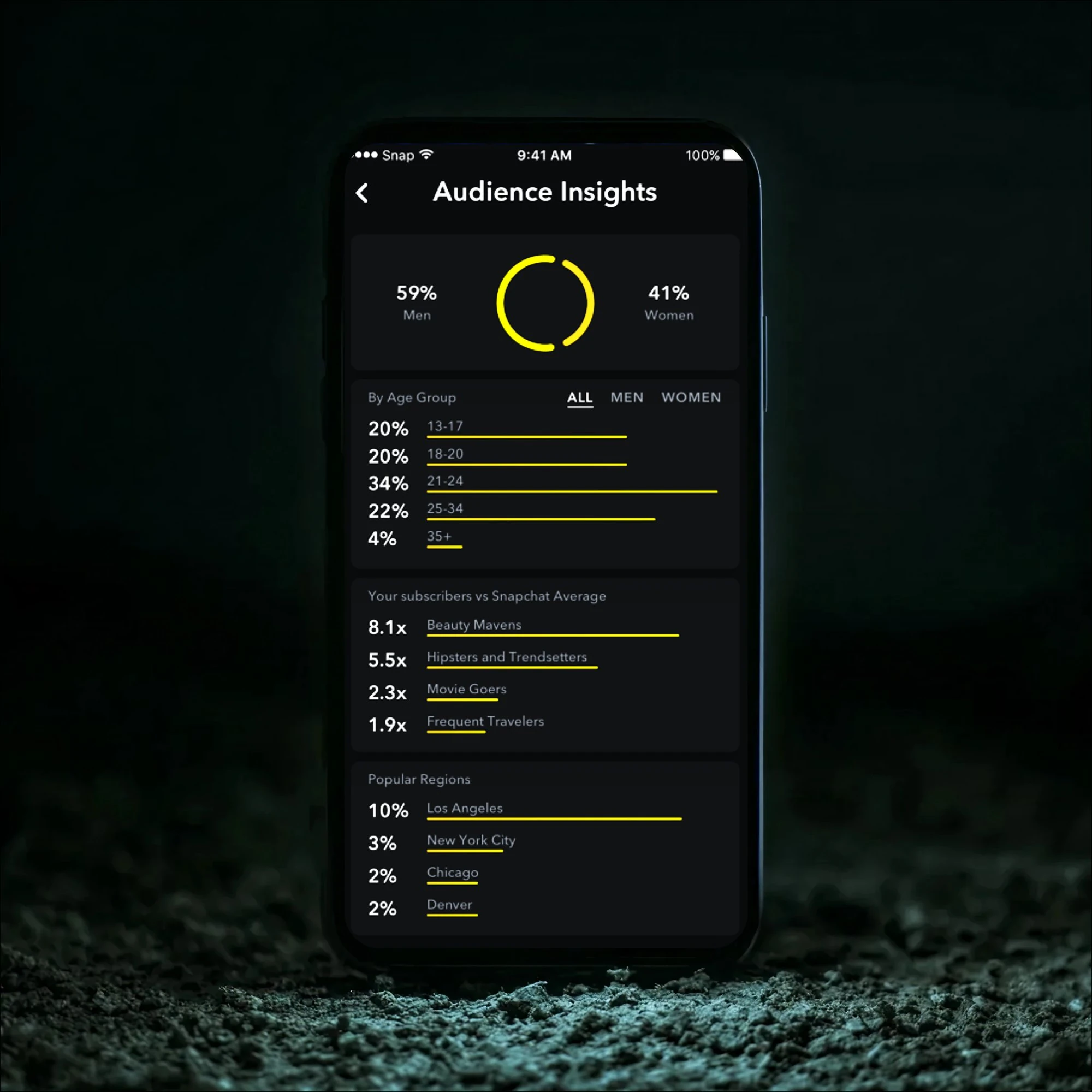
Ads Manager and organic Insights are the right tools for what happens inside Snapchat. They are the wrong tools for what closed.
| Question | Where the answer is |
|---|---|
| Which creative was watched | Ads Manager: impressions, swipe-ups, video completions |
| Which audience spent the budget | Ads Manager: spend by ad set |
| Which click reached the site | Your analytics, if the URL was tagged |
| Which click became a lead | The form submission, if it stored the tags |
| Which lead became revenue | The closed deal, if the campaign was copied onto it |
Snap Pixel can count a page view, a lead event, or a purchase you send it, inside Snap's attribution window. Snap's default for the Pixel is 28 days after the click and 1 day after the view, per Snap's Google Analytics FAQ. That count is a Snap conversion. It is not your closed-won total. A lead who books a call three weeks later and signs the following quarter will show up in the CRM and may never show up as Snap revenue.
What Snapchat analytics is for stays on the platform metrics. Come back here when the question is the deal.
The path from swipe-up to closed revenue
Build the path once, then reuse it on every ad.
1. Name the campaign before you build the URL
One offer gets one utm_campaign string. Lowercase, hyphens, no spaces. spring-demo on the prospecting ads, the Story ads, and the retargeting ads that belong to that offer. If retargeting should be judged on its own, give it a suffix such as spring-demo-retarget, not a new spelling of the same words.
Write the string down. The person who builds next week's ads will not remember whether last week was spring-demo or spring_demo.
2. Put the tags on the ad's website URL
Every ad that opens a website needs parameters. Snap's builder can fill the campaign and ad values with macros so you are not typing them per creative. The verified list is in Snapchat UTM parameters.
A static pattern, before macros, looks like this:
https://example.com/demo?utm_source=snapchat&utm_medium=paid&utm_campaign=spring-demo&utm_content=video-hook-v2
example.com is a placeholder. Swap in your page. Story ads use the same tags on the website attachment. How to track Snapchat Story ads covers that attachment. Lens clicks use it on the AR ad URL. Tracking Snapchat AI lenses is that case.
3. Stop the landing page from deleting the query string
Open the ad URL in a phone browser. If the address bar loses everything after ?, a redirect or a page builder cleaned it. Snap's analytics FAQ uses the same failure: the campaign information is gone and the visit is recorded without it. Point the ad at the final URL, or make the redirect pass the query string through.
4. Store the tags on the form
The form only submits fields it contains. Add a hidden field for utm_source, utm_medium, utm_campaign, utm_content, and utm_term, each one reading the matching query parameter. Why UTM data disappears at form submission is the longer version of this break.
If the person browses to a second page and then submits, the tags are no longer in the address bar. Something has to have stored them on the first page. A first-party cookie does that for a later submit in the same browser. It does not follow the person onto another device. Tracking Snapchat campaigns across devices is that limit.
5. Copy the fields onto the deal
Sales creates the deal later. Most CRMs do not copy source fields from the contact unless you build that copy. How to track Snapchat campaigns inside your CRM is the mapping. Until the deal has the campaign, a closed-won report grouped by campaign is empty, even though the contact was tagged.
6. Test one real submit
Use a phone. Use a test email you can find. Submit the form. Open the lead, then the deal.
| Check | Pass |
|---|---|
| Address bar on the landing page | All five tags are present |
| Lead record | The same five values |
| Deal | Campaign copied across |
| A second page, then the form | Tags still present if you stored them |
Do this before the campaign spends. A week of untagged clicks cannot be relabeled later.

If you want the tags stored on each submission without a hidden field per parameter, pre-register for Trakt.
Where Snapchat campaign tracking breaks

These are structural, not a matter of checking a box in Ads Manager.
The CRM never hears about the swipe. Snap sees engagement. Your CRM sees a form. Nothing connects them until the URL carries the campaign and the form stores it.
A later visit overwrites the source. The person clicks the ad, leaves, and comes back by typing the domain or through an untagged email. The form records Direct. Why leads show up as Direct is that pattern. Storing the first tagged visit, or at least the latest one, is what keeps Snapchat on the lead. Know which of the two your tool stores. Trakt stores the latest tagged visit.
Retargeting and prospecting share a name. Both clicks are "Snapchat" and both are the same campaign string. You will credit the follow-up and the introduction as one bucket. Retargeting on Snapchat needs its own value in utm_campaign or utm_content.
The same offer has several spellings. spring-demo, Spring-Demo, and spring_demo become three campaigns. Your total is split, and the ROI for each row looks worse than the offer really was.
Shares drop the referrer. Someone copies the link into a chat. The click can arrive with no referrer. Tags that were on the copied URL survive. Tags that were never on it do not. Snapchat shares is that case.
How to read revenue, not the swipe
When the campaign sits on the deal, group closed-won deals by utm_campaign and divide revenue by spend. Wait one sales cycle. A campaign that started this week has leads, not revenue.
| Campaign | Swipe-ups | Leads | Closed revenue | Spend |
|---|---|---|---|---|
| spring-demo | 400 | 12 | $18,000 | $4,000 |
| video-hook-v2 | 900 | 30 | $2,000 | $4,000 |
Illustrative numbers, not Trakt customer data. Both rows are paid Snapchat. Swipe-ups are there to show how a click ranking and a revenue ranking diverge.
In the example, video-hook-v2 wins on swipes and leads and loses on revenue. A cost-per-swipe report would move budget toward it. The deal report would not.
Snapchat ads ROI is the same division, including what to do about Snap's attribution window. Snapchat ROI beyond swipe-ups is the longer treatment.
Pre-register for Trakt if you want that capture handled on the site. Trakt stores UTMs from the latest tagged visit for 90 days and records the submission with that source, including when the form has no hidden fields. Won value on Trakt's dashboard is credited to utm_source. Your CRM is separate. Trakt does not sync into HubSpot, Salesforce, or Pipedrive, and it does not upload conversions to Snapchat. A revenue report inside the CRM still needs the hidden fields and the copy onto the deal.
Frequently asked questions
What is Snapchat campaign tracking?
Snapchat campaign tracking is storing the Snapchat campaign on the lead and on the closed deal, so you can add up revenue by campaign. Ads Manager already counts swipe-ups and Snap Pixel events. Those counts stop at Snap's window. The deal in your CRM is the revenue number.
Can Ads Manager prove which Snapchat campaign closed a deal?
It can prove which campaign got a click or a Snap-defined conversion inside its window. It cannot see a deal your team marks closed-won months later unless you send that event back, and even then the windows and time zones differ. The reliable record is the campaign name stored on the deal. Snap's default Pixel window is 28 days post-click and 1 day post-view.
Which tags should every Snapchat campaign use?
Use utm_source=snapchat, utm_medium=paid for ads, one lowercase utm_campaign per offer, and utm_content for the ad. Add utm_term only when you want an audience label, and do not put audience names into fields that Snap's macros will insert. The macro tokens themselves are in the Snapchat UTM parameter table.
Why did the Snapchat campaign disappear on a return visit?
The tags lived in the URL of the first visit. The return visit had a clean URL, and nothing had stored the first values. The form then submitted without them, and the lead was recorded as Direct. Store the tags on the first page load if the form can be submitted later in that same browser. A different device is a new browser and will not have them.
How long should I wait before judging a Snapchat campaign on revenue?
Wait one full sales cycle after the first tagged leads arrive. Leads show up immediately. Closed revenue does not. A two-week report will make almost every Snapchat campaign look like it produced no money, including the ones that will close next quarter. Group by the close date, not only by the click date.